Welcome to the QMENTA SDK documentation!
Introduction
The QMENTA Platform provides a unified solution for data management, processing and visualisation. The analyses (medical imaging processing tools) are executed on the hybrid cloud infrastructure as Docker containers and treated as black boxes that communicate with the QMENTA Platform using our SDK.
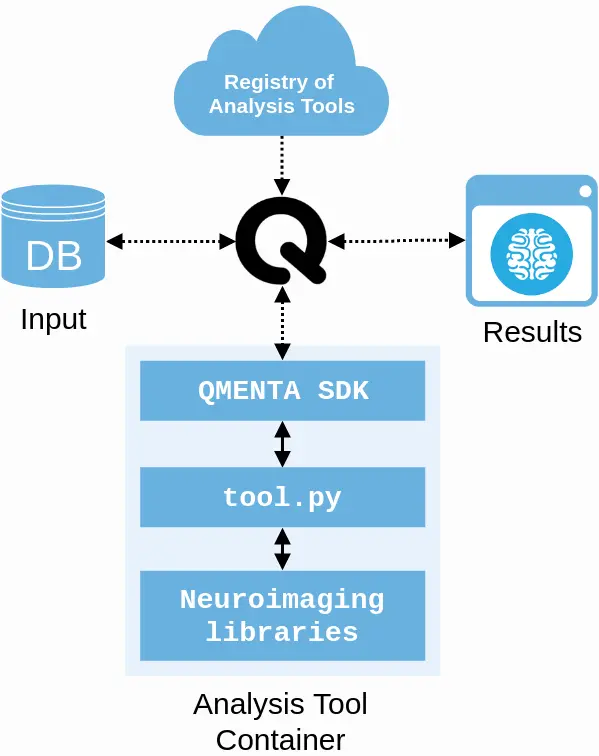
A simple Python program connects the QMENTA Platform with any third-party software. This typically involves fetching the input data, starting the binaries or scripts and uploading the result files in a compartmentalized, traceable and secure computing environment.
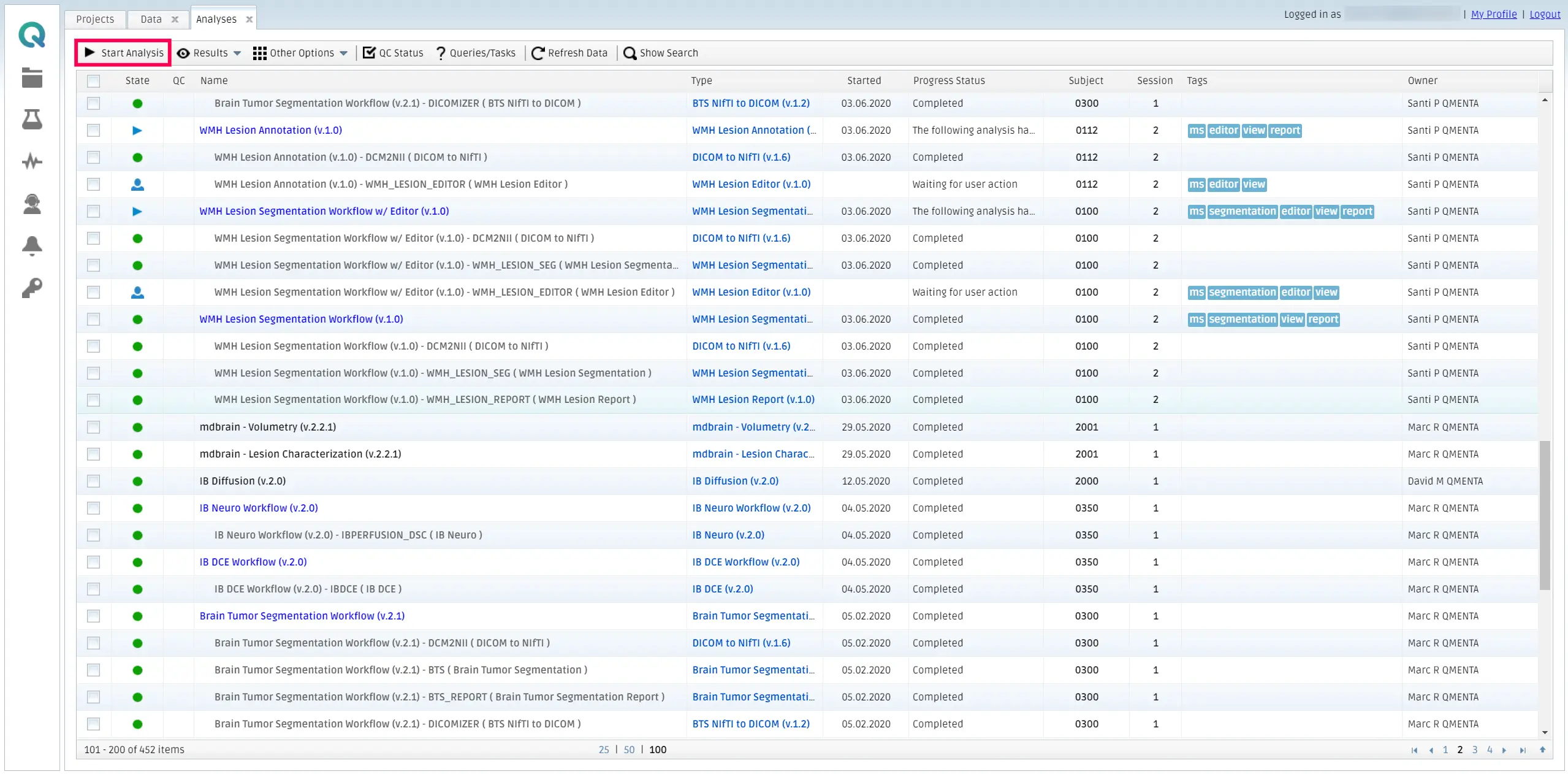
Data uploaded to the QMENTA Platform can be analyzed with a simple step, with results managed and visualized in the same website.
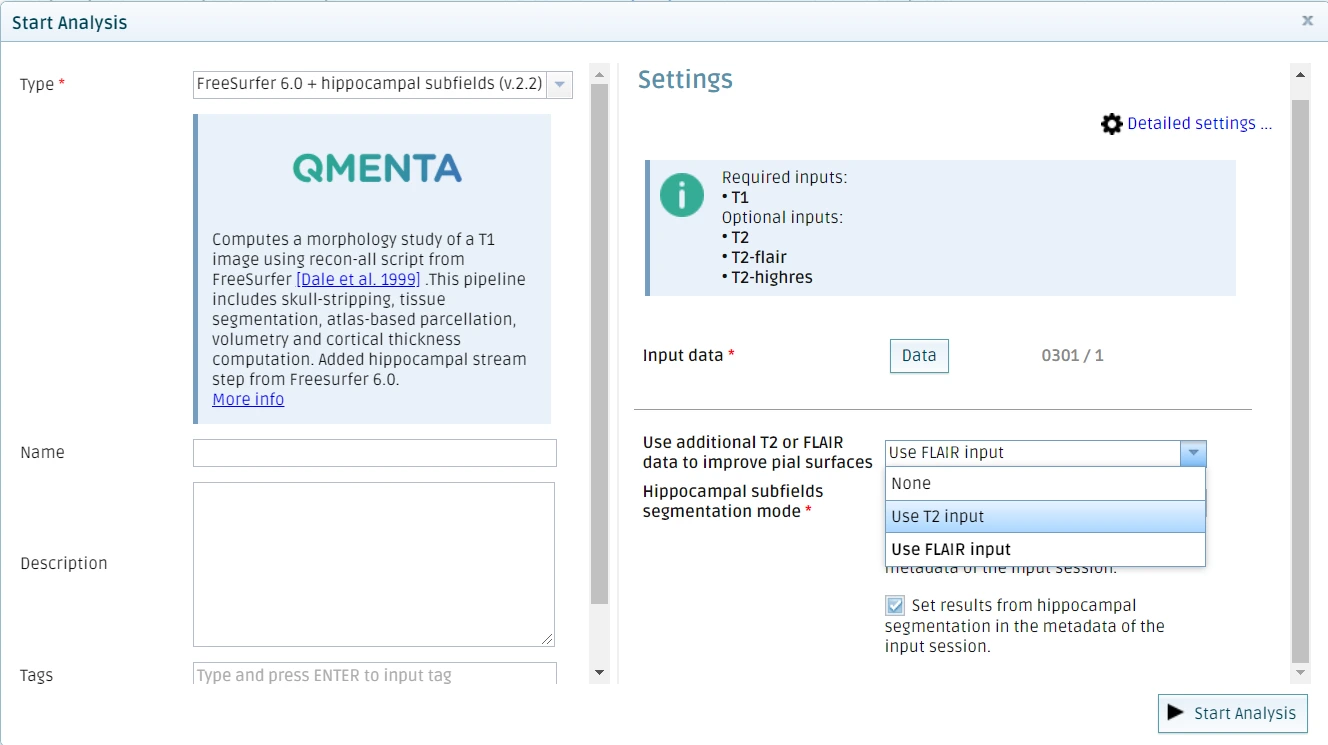
In addition, tools can also be seamlessly customized to include external parameters using GUI elements that provide an easy way for users to choose between different options and tune the execution flow of the analyses.
Getting started
In the following sections, you will be guided through the initial steps required to set up the QMENTA SDK, along with an introduction to working with Docker images.
Tool Maker guide
We invite you to get started with the QMENTA SDK by reading this guide introducing the QMENTA Tool Maker to integrate your first algorithm in the QMENTA platform.
Step-by-step tutorial
If you are looking for more in-depth information about specific stages in the tool development process with the QMENTA SDK, we recommend you to read the following documents.
The following pages contain information that, while still functional, is considered outdated. These sections provide guidance on integrating a tool into the QMENTA Platform; however, they require manual creation of all necessary files. It is now recommended to utilize the QMENTA Tool Maker, which automates this process. Nevertheless, for those interested in exploring the underlying details, these pages remain available for reference.
Examples
You can also find concrete examples of how the QMENTA SDK can be used in a variety of tool development scenarios.
Note
This examples are not using QMENTA Tool Maker. You can find one example here: <a href=”https://github.com/QMENTA/qmenta-sdk-tool-maker-example” target=”_blank”>QMENTA SDK Tool maker Example</a>
API Reference
In the API reference you can find detailed documentation about the attributes and methods of the two main classes available in the SDK: qmenta.sdk.context.AnalysisContext and qmenta.sdk.context.File.